Main dashboard
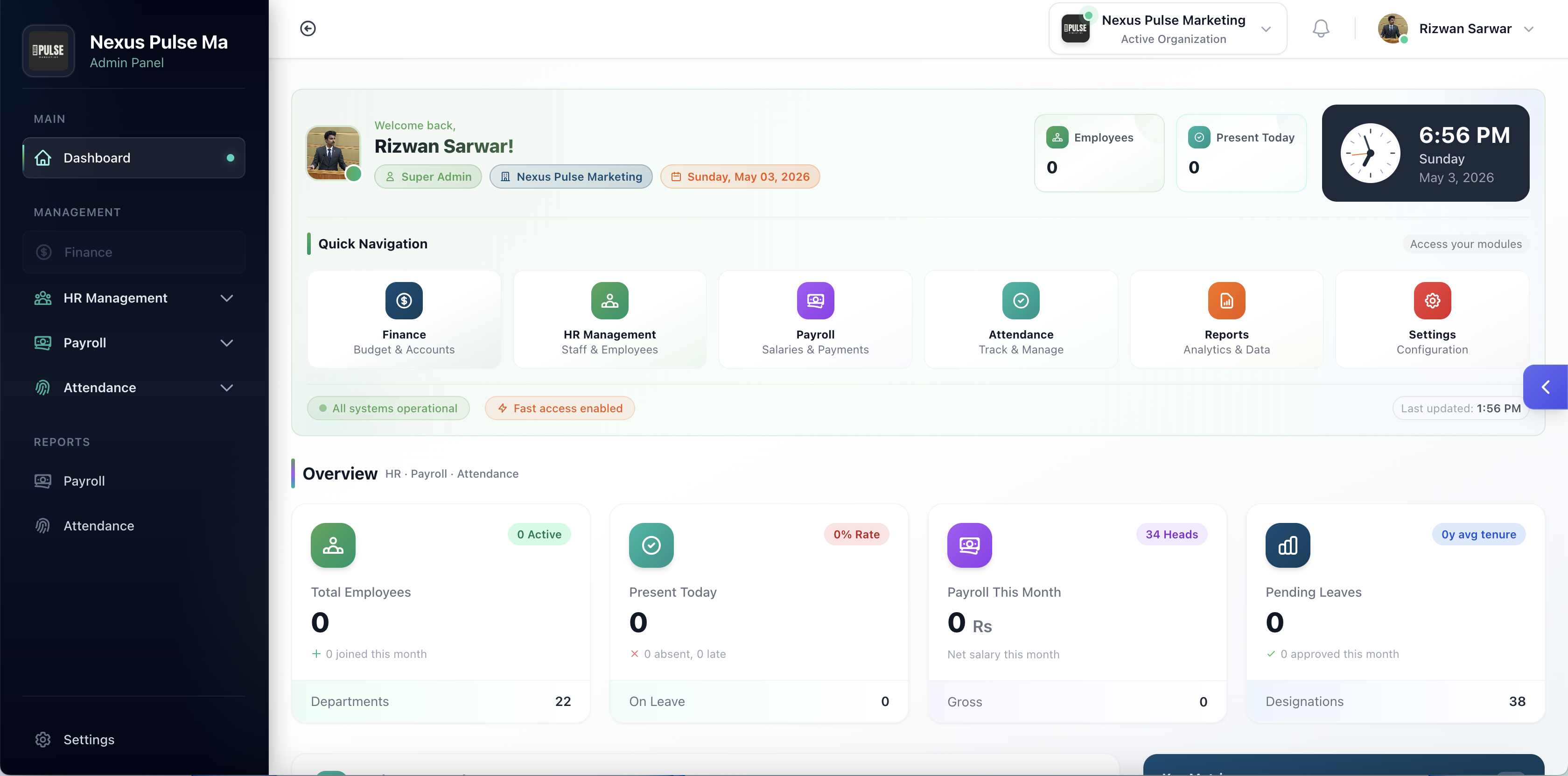
Authenticated home with shortcuts; can surface attendance summaries so admins land somewhere useful.
Product
One system for multi-org HR, attendance, leave, payroll, and public features—plus an employee mobile app for self-service.
Jump ahead: use the numbered row above — swipe if you don’t see every module yet.
Swap screens
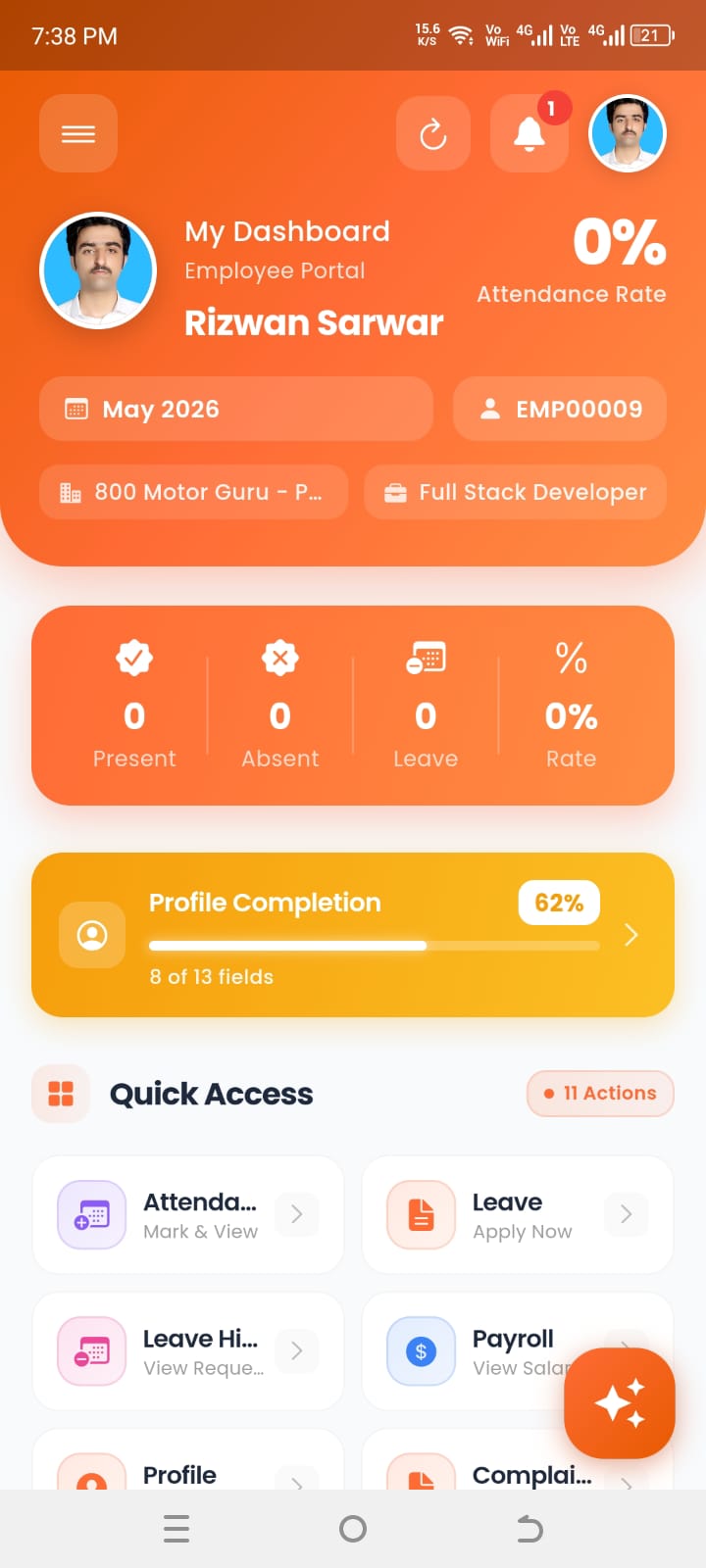
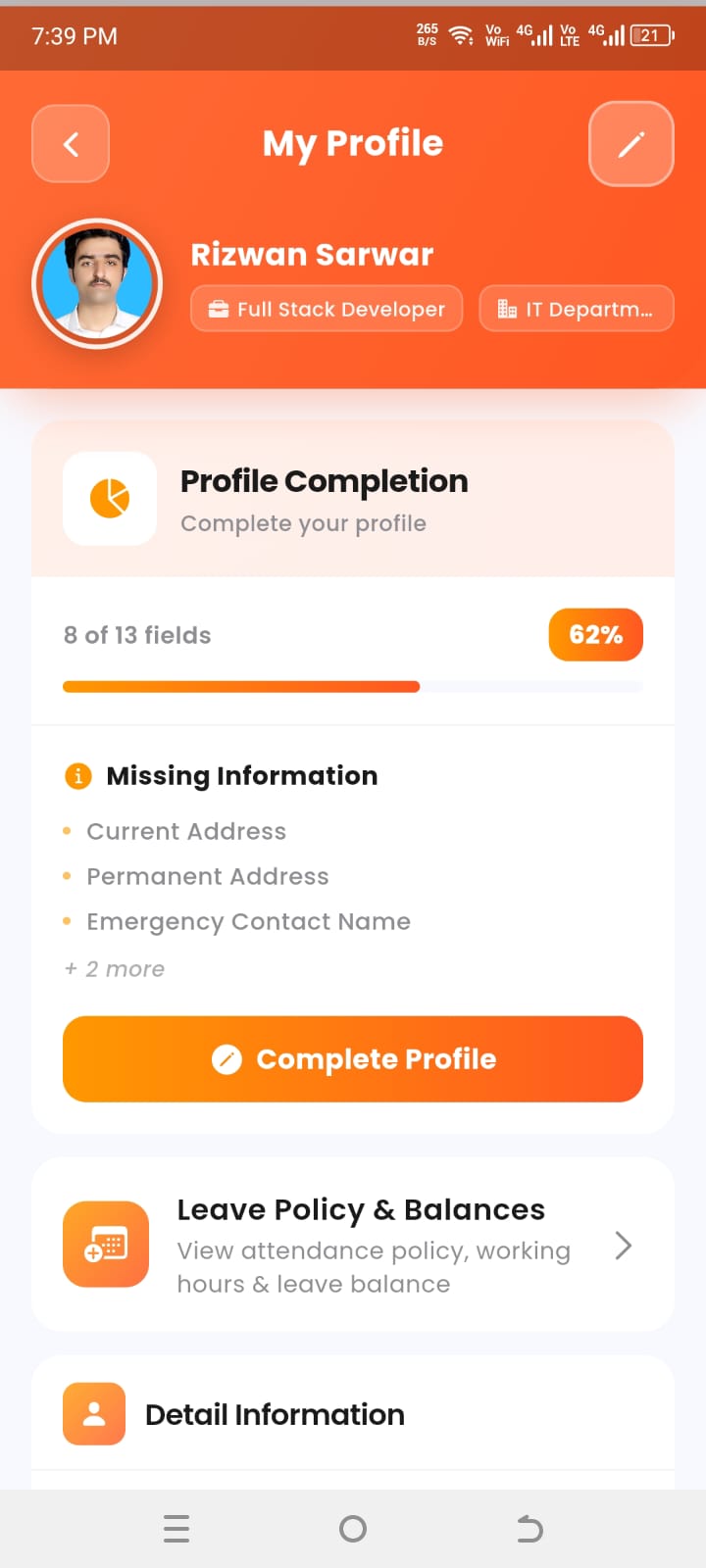
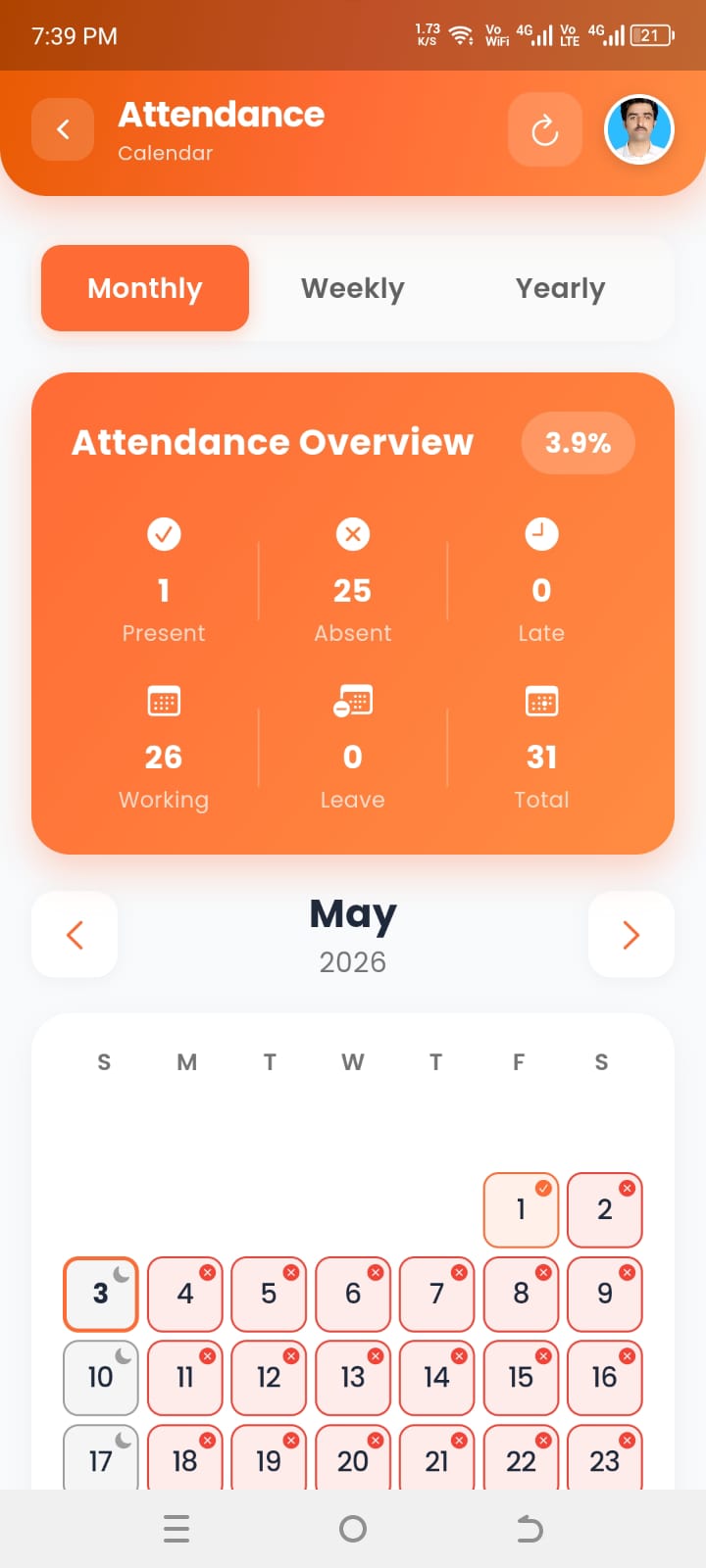
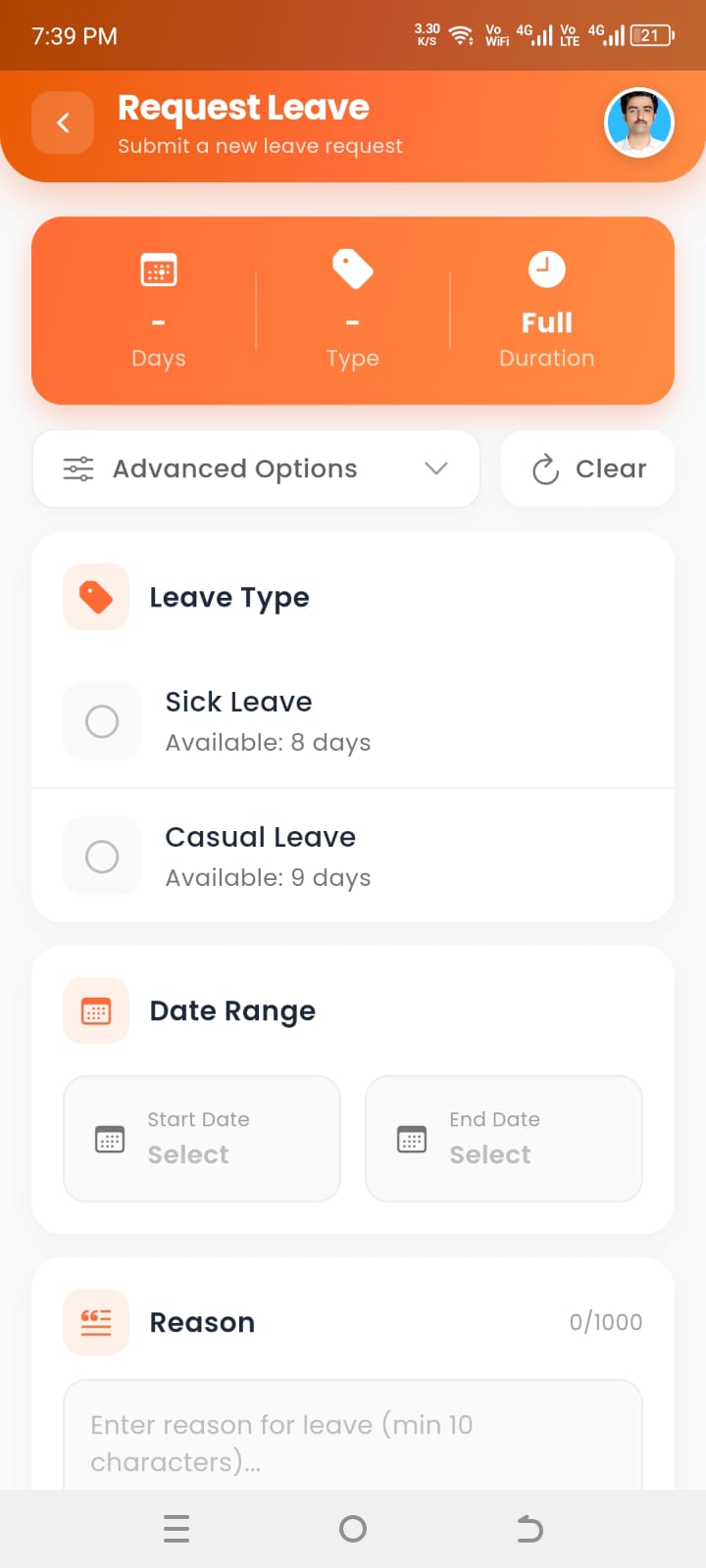
Tap a tab or swipe the phone frame.
Keeps tenancy clean: organisations, access control, masters, and user profiles—the layer every other module assumes is correct.
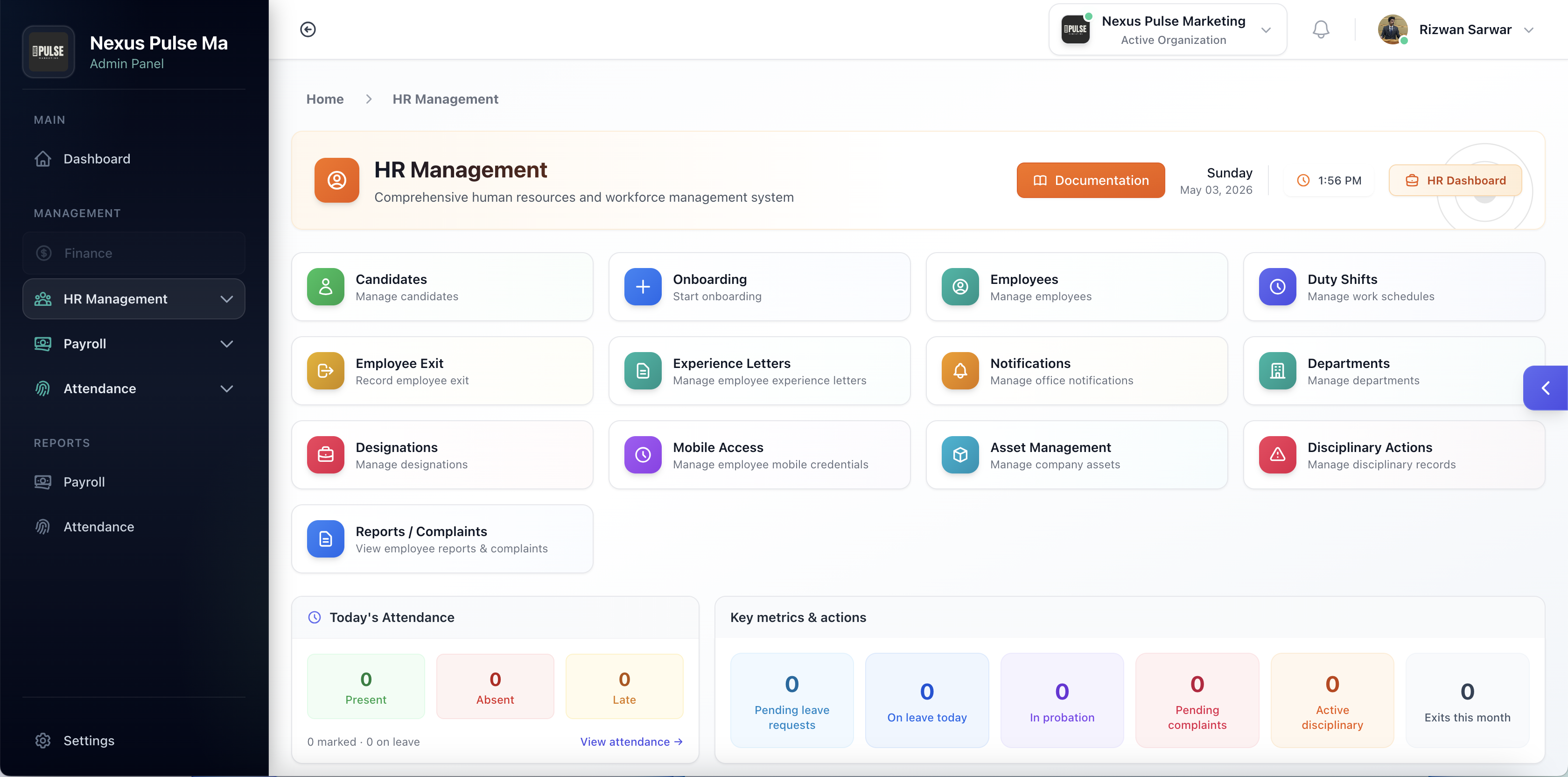
Authenticated home with shortcuts; can surface attendance summaries so admins land somewhere useful.
Full org CRUD, active-org switching in session, editable org profile (branding and details)—subsidiaries stay separate.
Roles, permissions, subusers, and activity logging so audits don’t rely on guesswork.
Countries, cities, time zones, currencies, HR masters; linked module masters when permissions allow.
Self-service edit/update/delete flows in the usual Laravel Breeze spirit, within your policy gates.
From hiring to exit—including assets, discipline, grievances—so HR isn’t patching five unrelated tools every Monday.
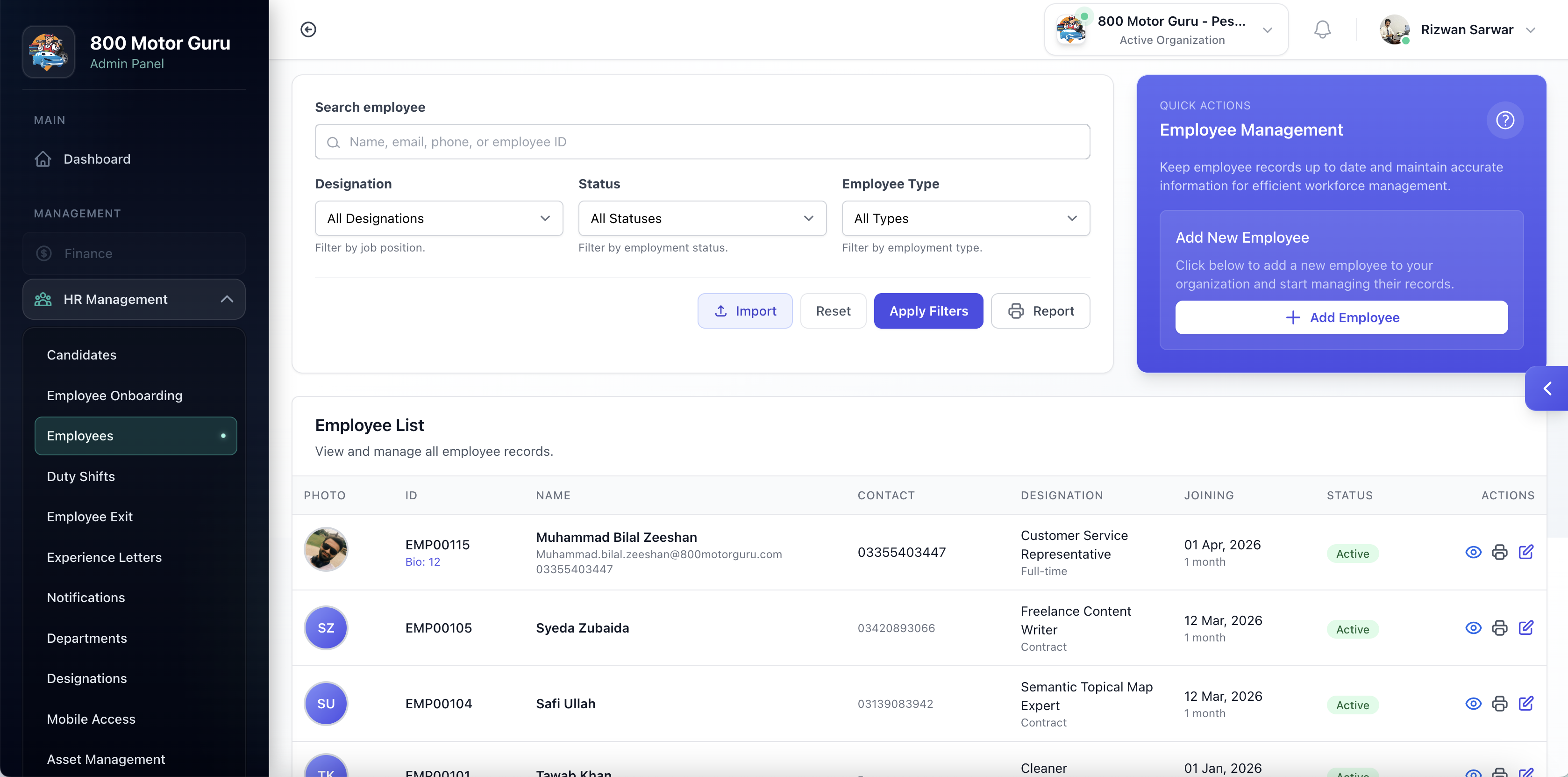
KPI-style overview plus in-app docs so ramp-up doesn’t depend on one senior hire.
Org chart basics—designations behave as titles/positions for filters and approvals.
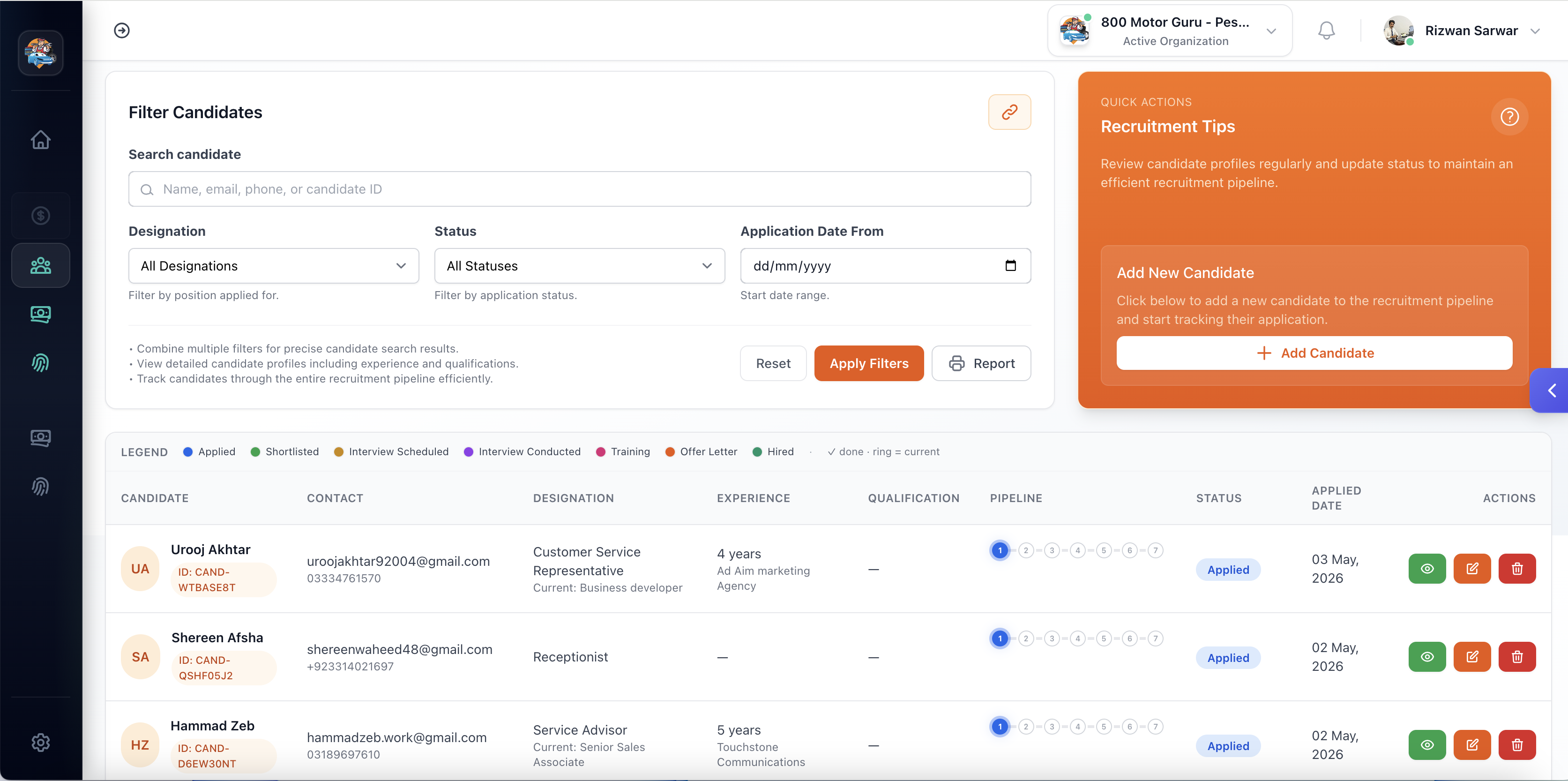
Lifecycle tracking, offer letter preview/PDF, printable candidate packs for sign-off.
Flows from hired candidates plus history endpoints tied back when integrations need lineage.
Import, printable profiles/reports, photos, biometric/remote flags, search, bulk mobile credentials with toggles.
Roster CRUD—the roster is data, not a shared folder named FINAL-v8.
Controlled exit journeys with per-person history surfaced for audits.
Issue, manage, print; public token verification and certificate barcode checks.
Internal broadcasts with public barcode-verify links when outsiders only need authenticity.
Assets and allocations with issue/return flows and a deployment dashboard.
Case management with dashboards and acknowledge/respond steps.
Track cases: assign, status, first response, resolve, follow-up—deletes where policy permits.
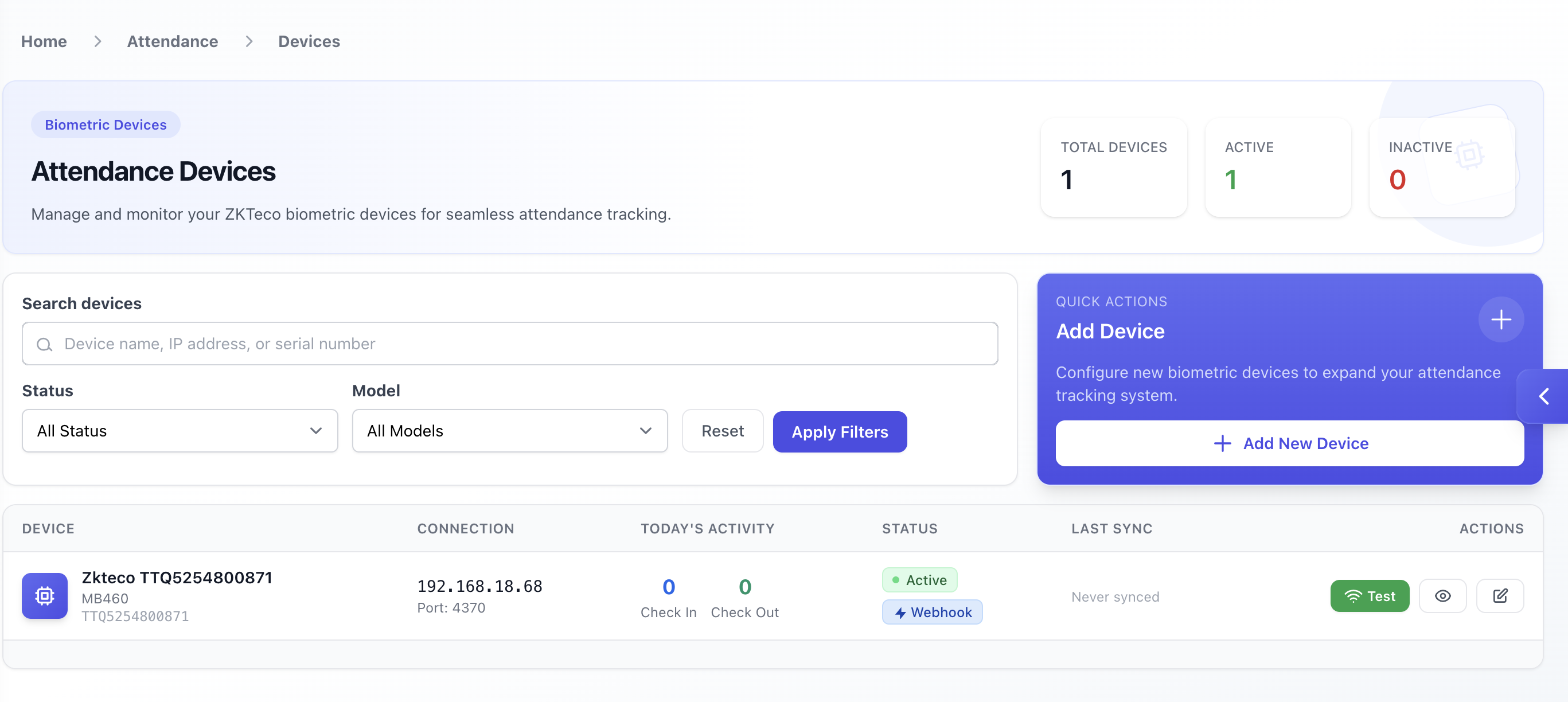
Where biometric devices, inbound logs, calendars, policies, and leave intersect—Finance shouldn’t reinvent Excel each month-end.
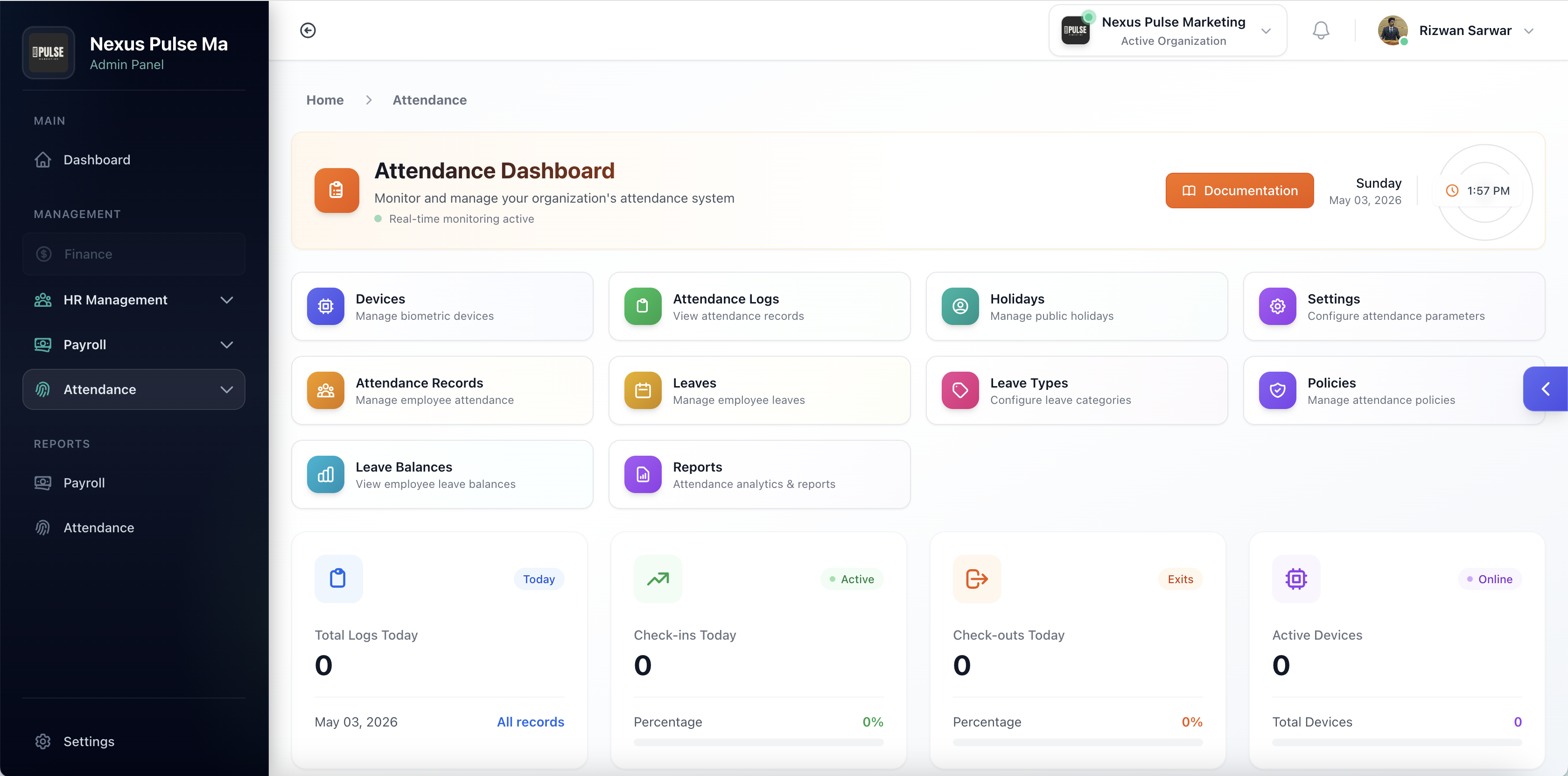
Dashboard and documentation wired under the attendance namespace so site teams know where to click.
Device lifecycle with connectivity tests—the machine proves it before cutoff day surprises you.
Device-to-system ingestion (e.g. attendance webhook routes and iClock-style listeners) for pushes from biometric hardware.
Listing, reporting, exporting, tying machine IDs cleanly back to employee records.
Operational grid for manual corrections, smart pickers, exports, monthly summary sends.
Configurable behaviours with printable policy snapshots for audits.
CRUD calendars, previews, duplication, toggle active—fewer accidental double-pay days.
Master catalogue with seeded defaults you can reshape to policy language.
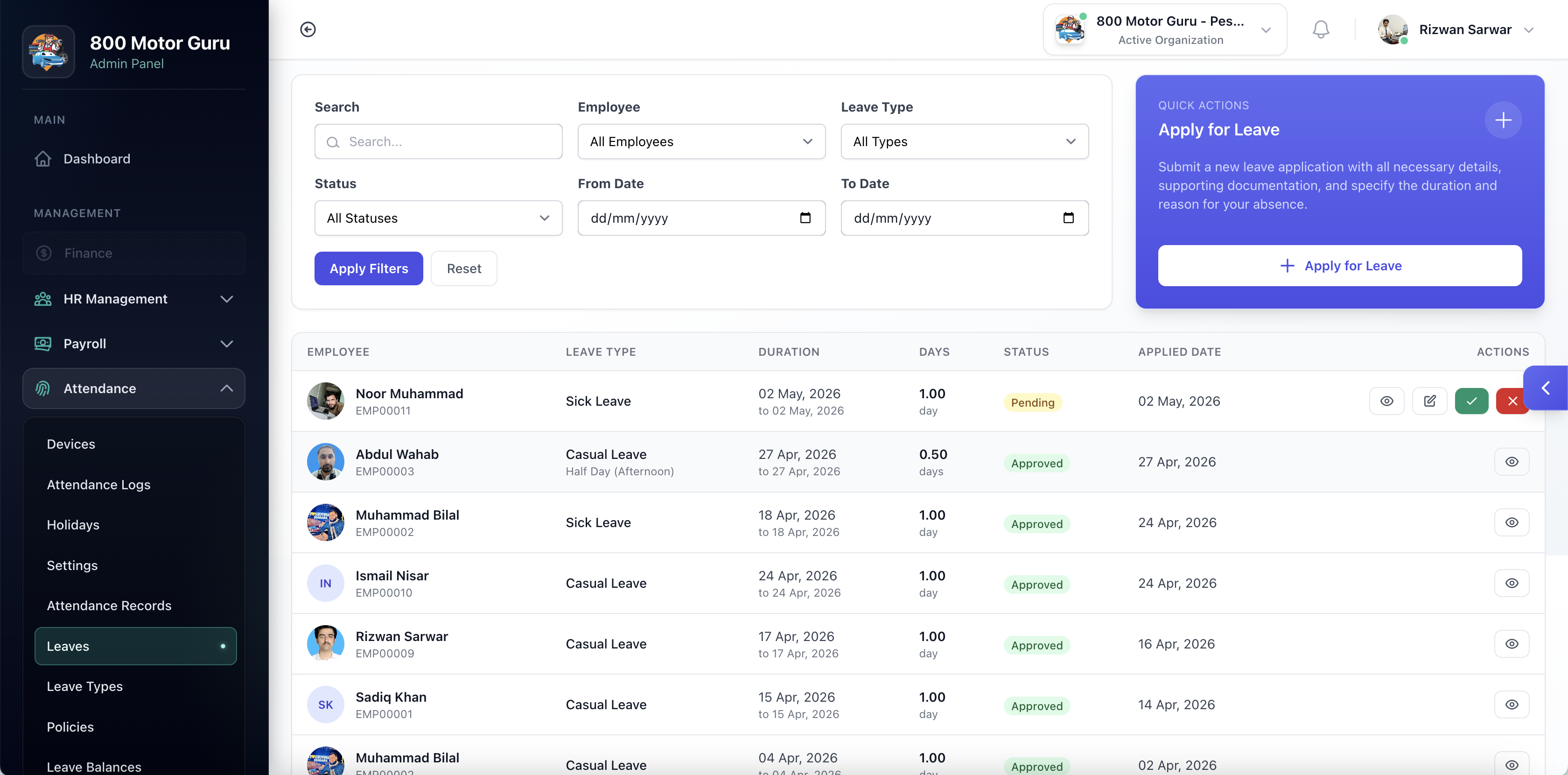
Requests plus approve/reject, with numbered attachment downloads for evidence.
Rules, cohort assignment, balances, initialise, and year-end processing.
Adjustments plus API lookups when mobile UI needs authoritative balances.
Slices by calendar grain, employee drill-down, paired leave balance reports—export where needed.
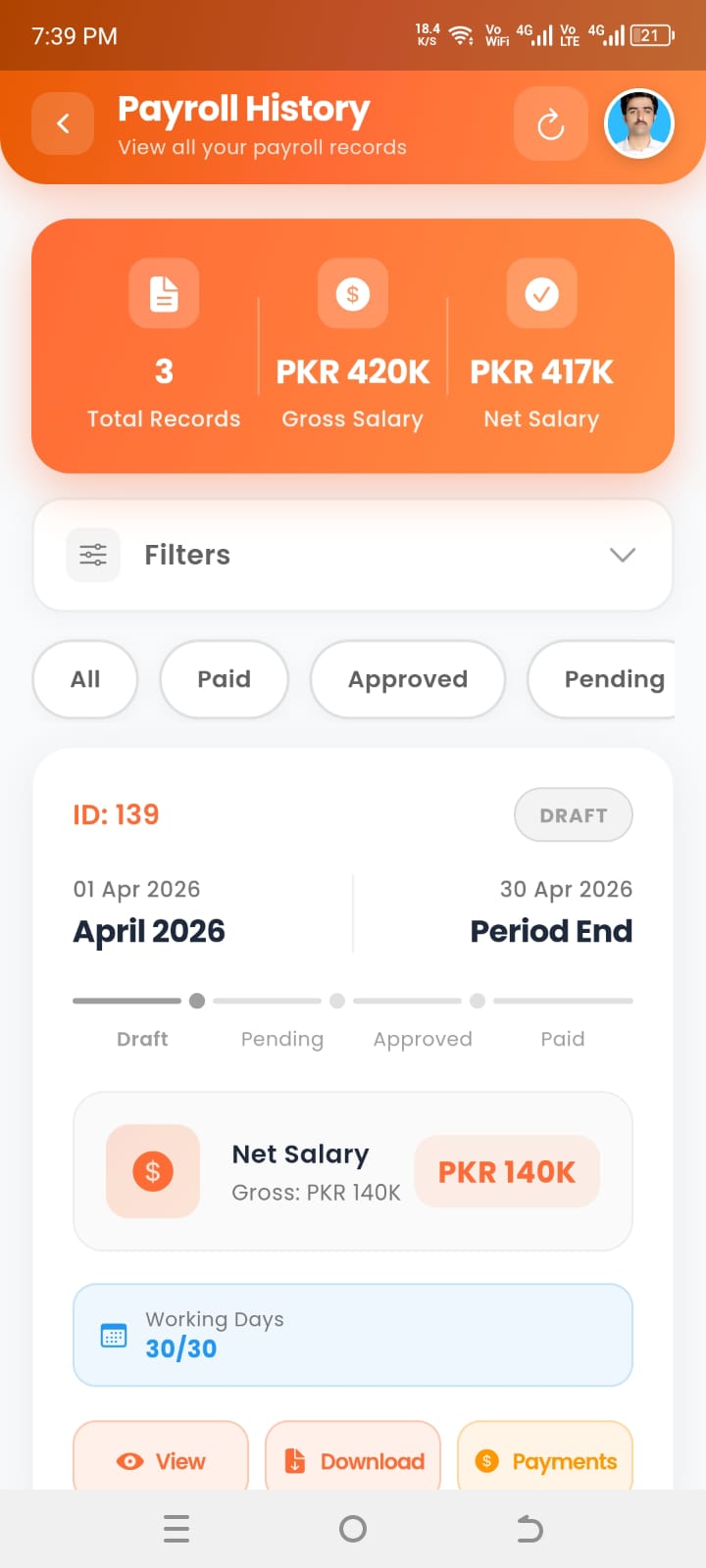
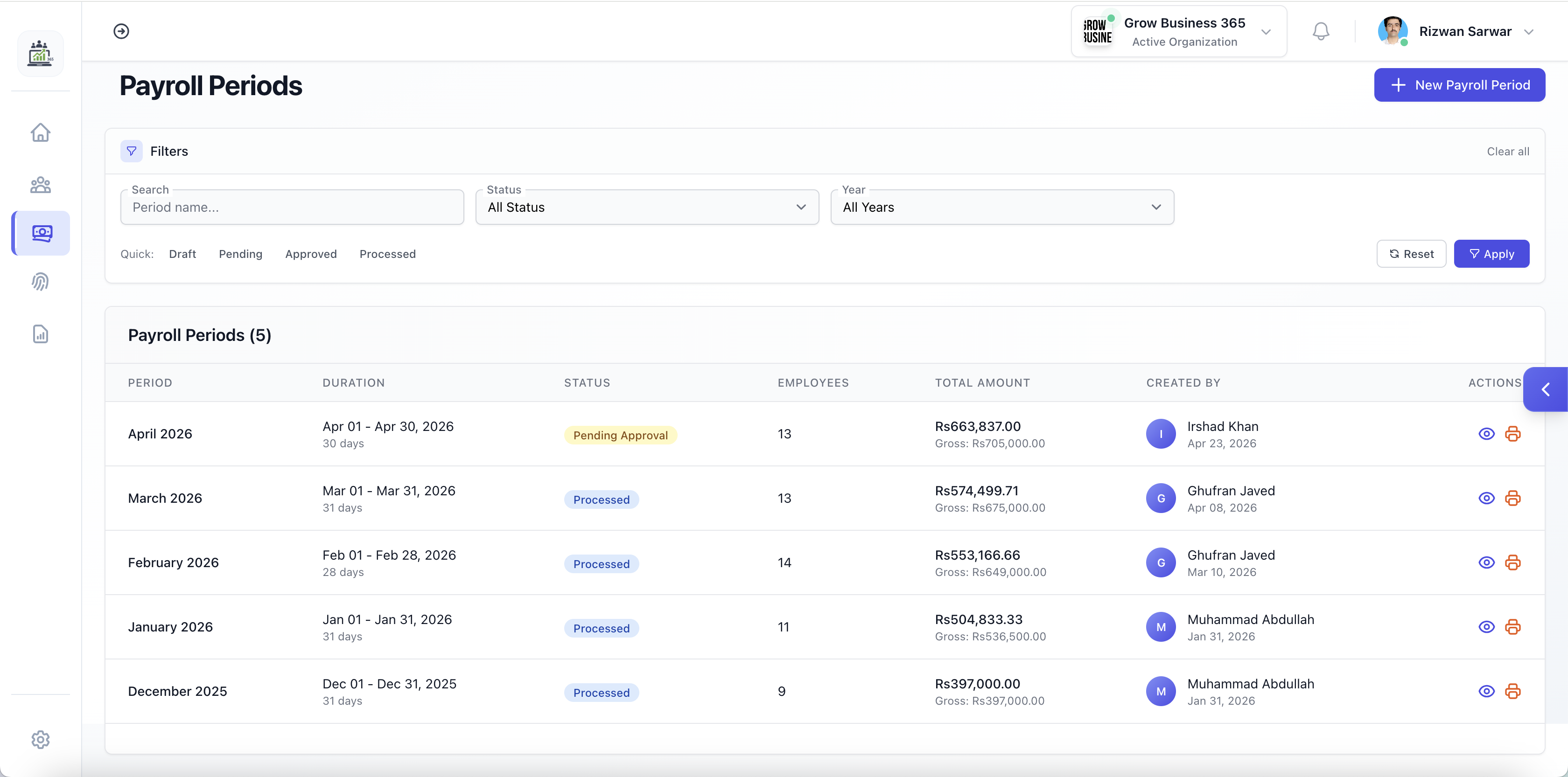
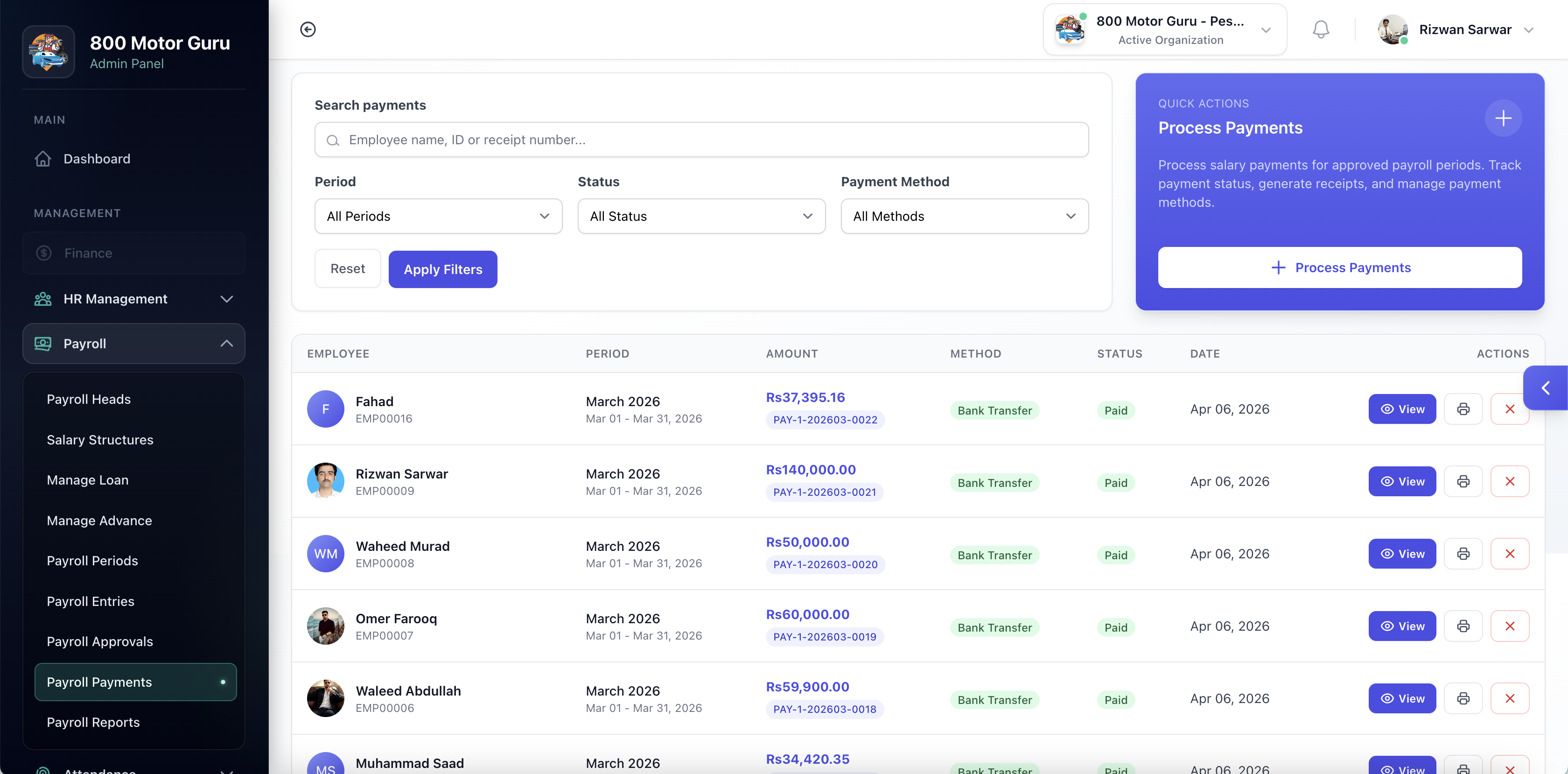
Periods, entries, approvals, and payments—with reporting that survives finance’s follow-up questions. Most operator routes sit behind payroll-aware middleware.
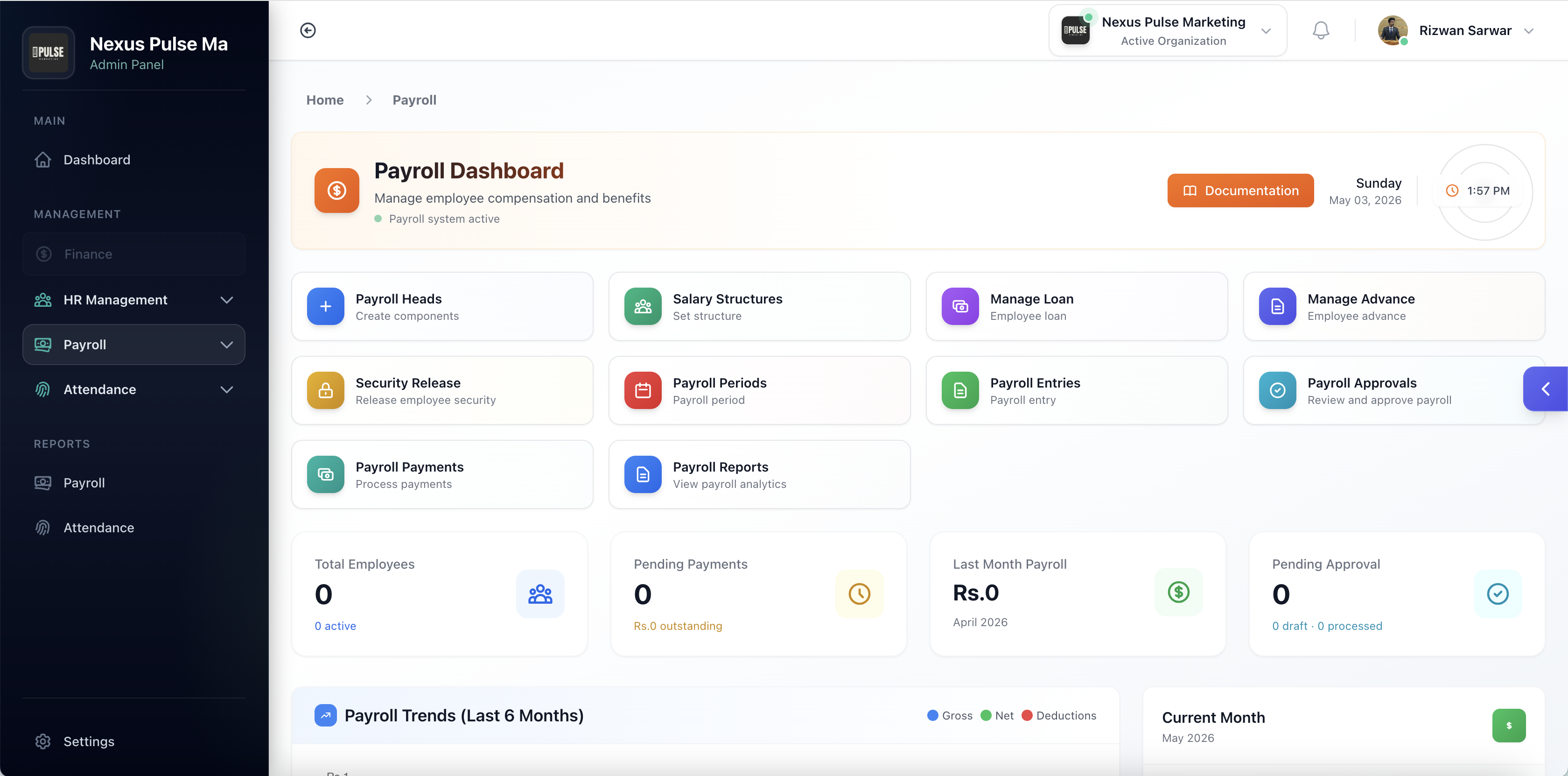
Operational home plus procedural documentation so succession planning includes payroll—not heroics.
Earning/deduction-style setup with statuses you can pause without shredding history.
Per-employee structures with bulk onboarding tools, quick tweaks, APIs for payloads.
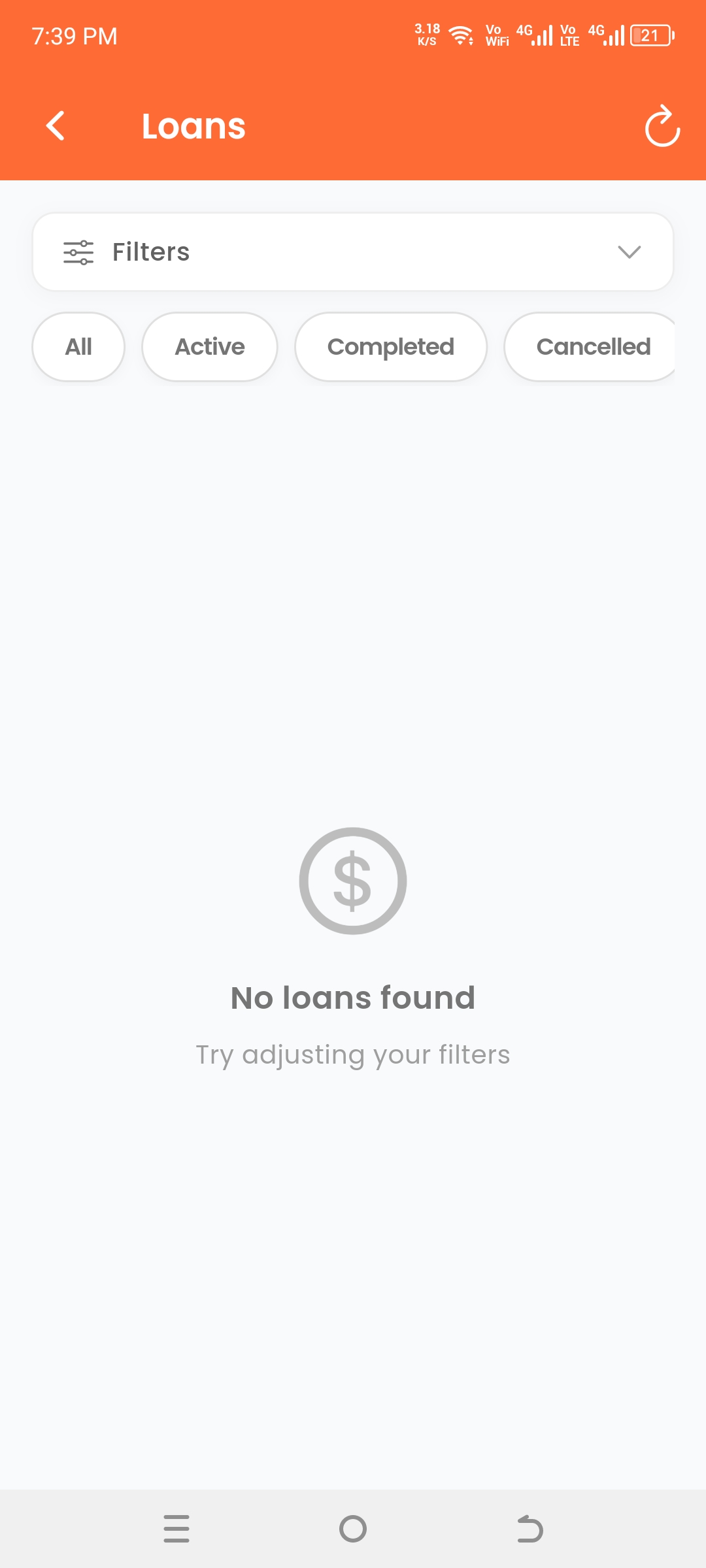
Approve, amortise, print; APIs expose active portfolios and payoff trails.
Approval, mark paid, PDF receipts; APIs for treasury alignment.
Deposit-style releases reconciled via workflow with structured employee responses.
Generate or regenerate batches, approvals, payslips/payment-slip bulk printing checkpoints.
Fine-grained rows tied back to attendance/salary summaries, bulk tooling, reviewer-friendly extracts.
Queues, counts, granular decisions, automation hooks, BI-friendly detail payloads.
Period batching, bank exports, confirmations, cancellations, registers, lookups by rail.
Period summaries, ledgers, departmental and head roll-ups, registers, comparisons, tax summaries, structure views, loan/advance pulls, and month-by-month ladders.
Outsiders shouldn’t inherit a seat licence to apply once or verify paperwork.
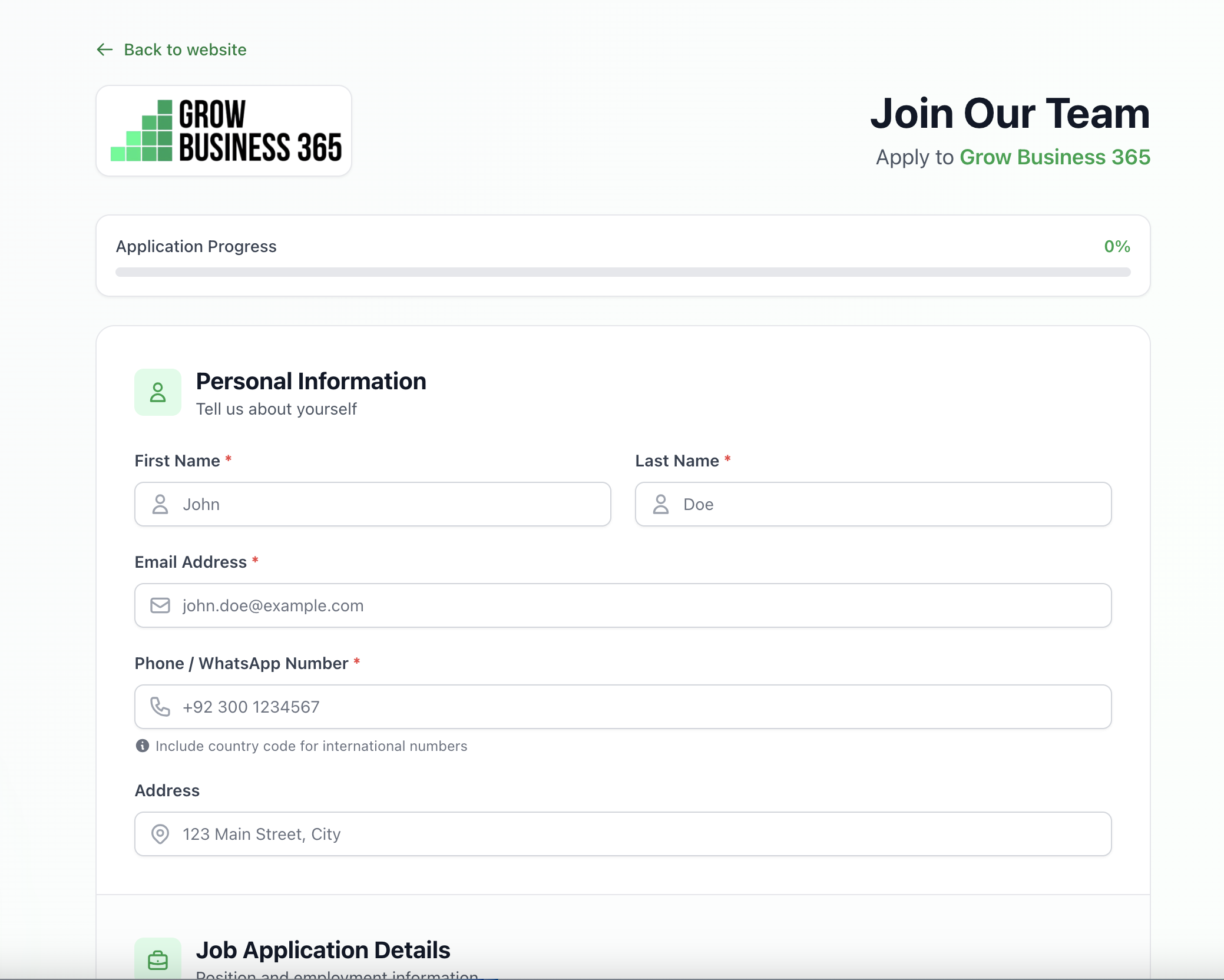
Candidates apply against an organisation slug, land on a thank-you screen, and never touch your admin shell.
Experience letters notifications and certificate barcodes each resolve through discrete public URLs—banks and vendors don’t get VPN access.
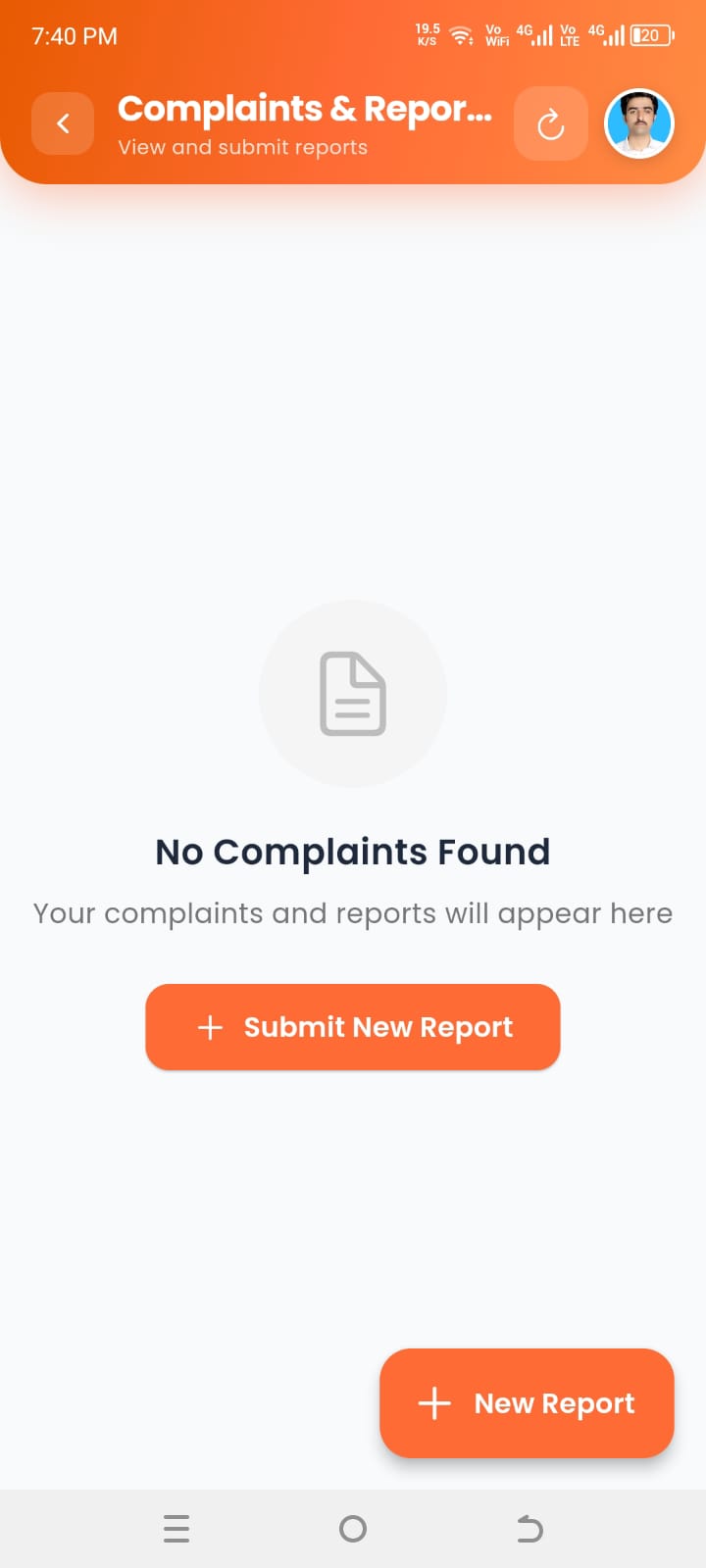
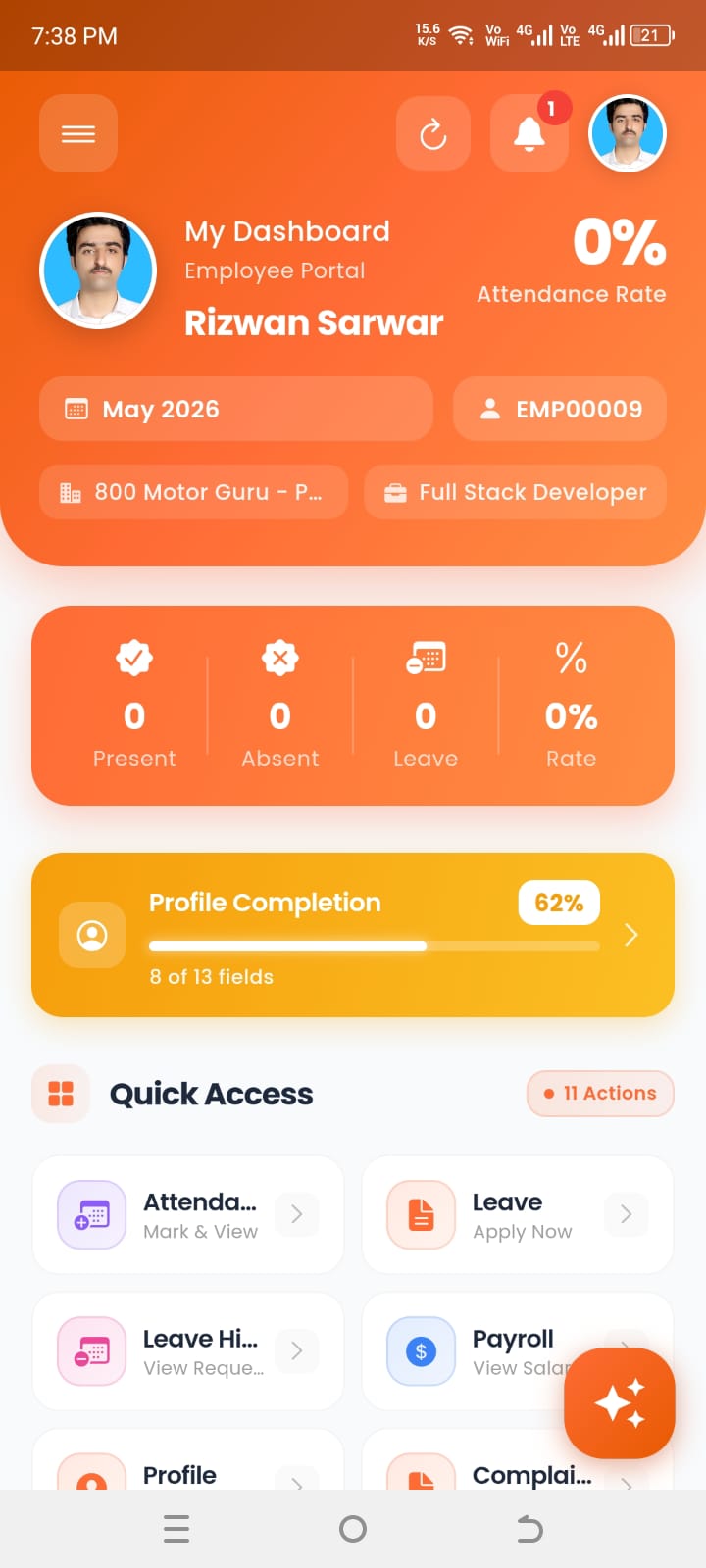
Same phone preview appears at the top of this page—in sync with here. Employees get a pocket-sized counterpart to your web HRM: update profile (contact details, dependents, banking where policy allows), attendance history at a glance, leave requests and approvals, payroll summaries and payslips, loans or advances with status, and complaints or grievances routed to HR—aligned with approvals you already run in DevNest HRM.
Swap screens
Tap a tab or swipe the phone frame.
Below are the screenshots.
Prefer to talk live? Email info@devnestdigital.com or WhatsApp—we’ll scope modules pragmatically against what you wrote below.

Reach us directly
+92 311 5538183
Typical response within one working day Karachi time—we’ll clarify modules and deployment shape before quoting.
devnestdigital.com →